
You've finished designing your board in AkuShaper. Now how do you turn that design into an actual surfboard?
For most shapers, the next step is sending the file to a local CNC cutting center. If you've never ordered a CNC cut before, the process is easier than you might think.
In most cases, you simply design your board, choose a blank, find a CNC cutting center, and email them your AkuShaper file.
Here's how it works.
Step 1: Finish and Save Your Design
First, finish your board design in AkuShaper and save the .brd file.
The .brd file contains the information the cutting center needs to work with your design. Dedicated surfboard CNC facilities commonly work with AkuShaper files, even when the shop uses different CNC machines or cutting software.
AkuShaper can also export formats such as IGES, STL, OBJ, and DXF for other manufacturing workflows, but for a typical surfboard CNC order, start by asking the factory if they can work directly with your .brd file.
Tip: Before sending your file, give the board one final inspection in the 3D Bay. Look down the stringer, rails, nose, and tail and make sure your curves and transitions look the way you intended.
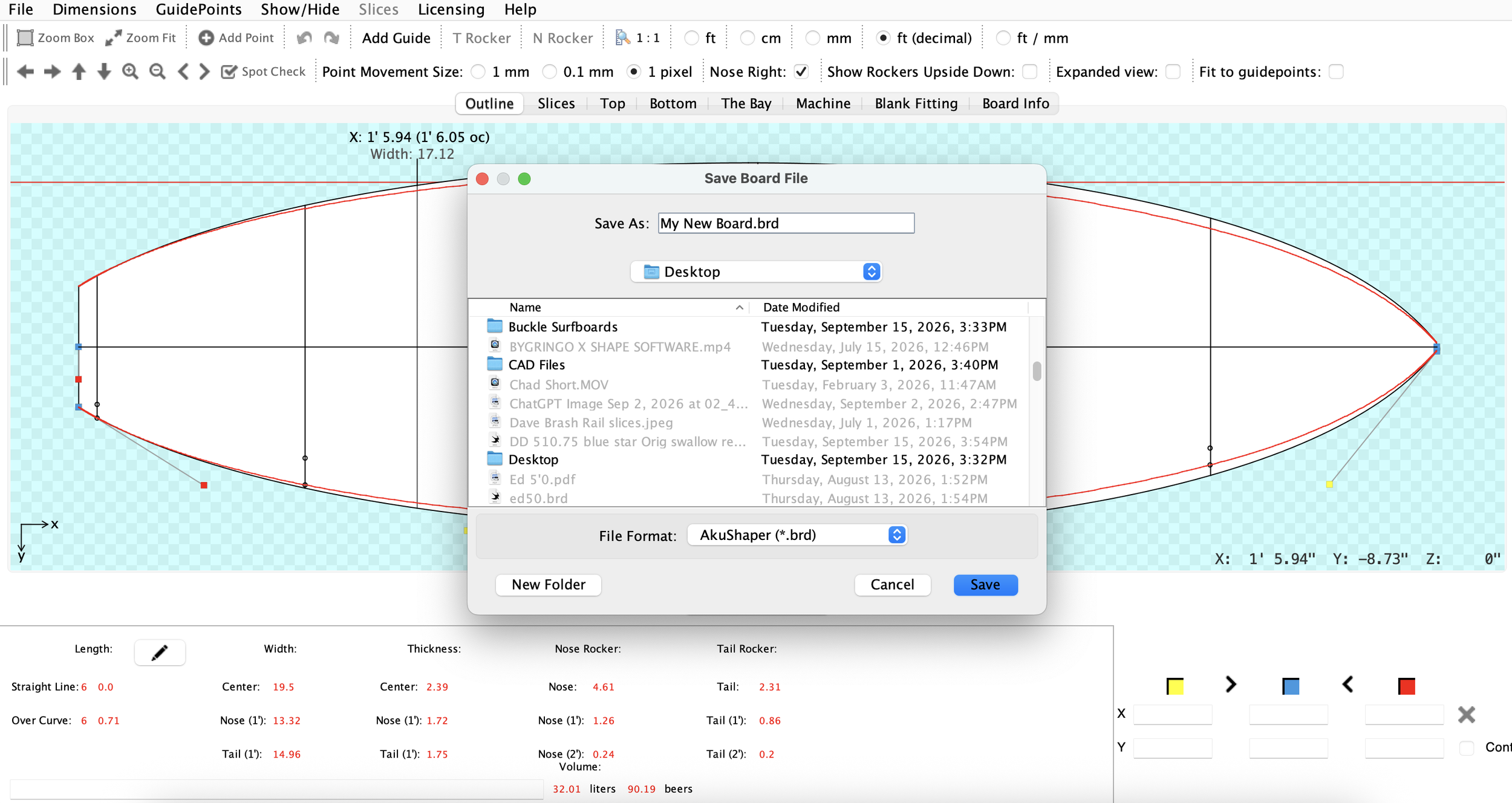
Save Your Design as a .BRD file
Step 2: Choose Your Surfboard Blank
Next, you need a blank that fits your design.
There are two easy ways to handle this.
Choose the blank yourself
AkuShaper's Blank Fitting tools allow you to fit your finished design into different production blanks before ordering your cut.
This is especially useful if you want control over things like:
Foam density
Blank manufacturer
Stringer size and material
Rocker
Custom blank options
How much foam will be left for hand finishing
Choosing the right blank can also reduce wasted foam and unnecessary CNC cutting.
Let the factory choose it
If you don't know which blank to use, that's completely normal.
Send your design to the CNC factory and ask them what they recommend. Most established cutting centers regularly order blanks and can help determine which blank best fits your board.
You can also tell them if you have preferences for foam, density, stringer, or blank manufacturer.
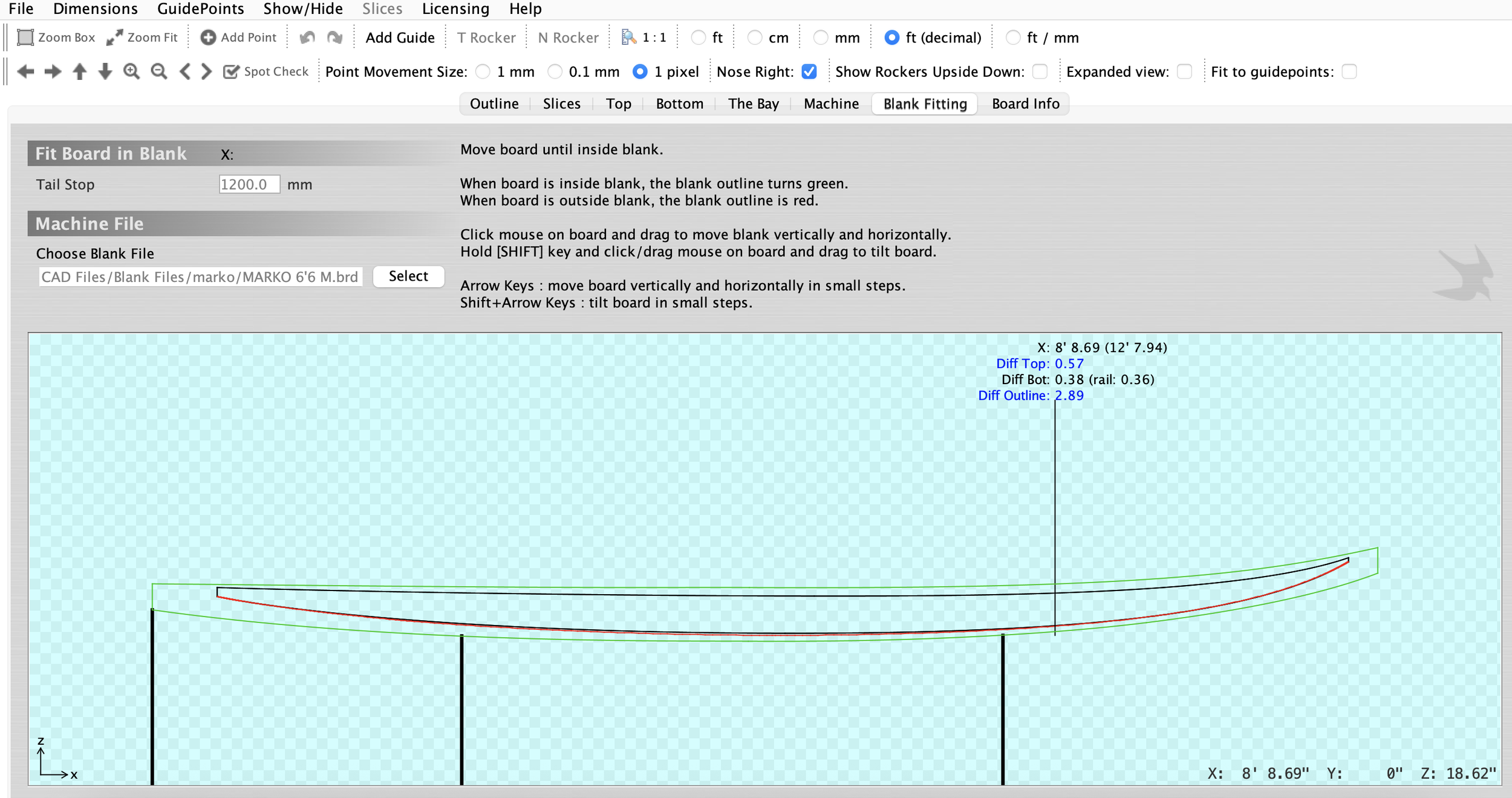
Match your design with a blank [Blank Fitting Tab]
Step 3: Find a CNC Cutting Center Near You
Once your design is ready, use the AkuShaper Industry Directory to find a surfboard CNC cutting center in your area.
The directory includes CNC facilities around the world that work with surfboard shapers and manufacturers.
Don't see one nearby? Contact the AkuShaper team and we'll help point you in the right direction.
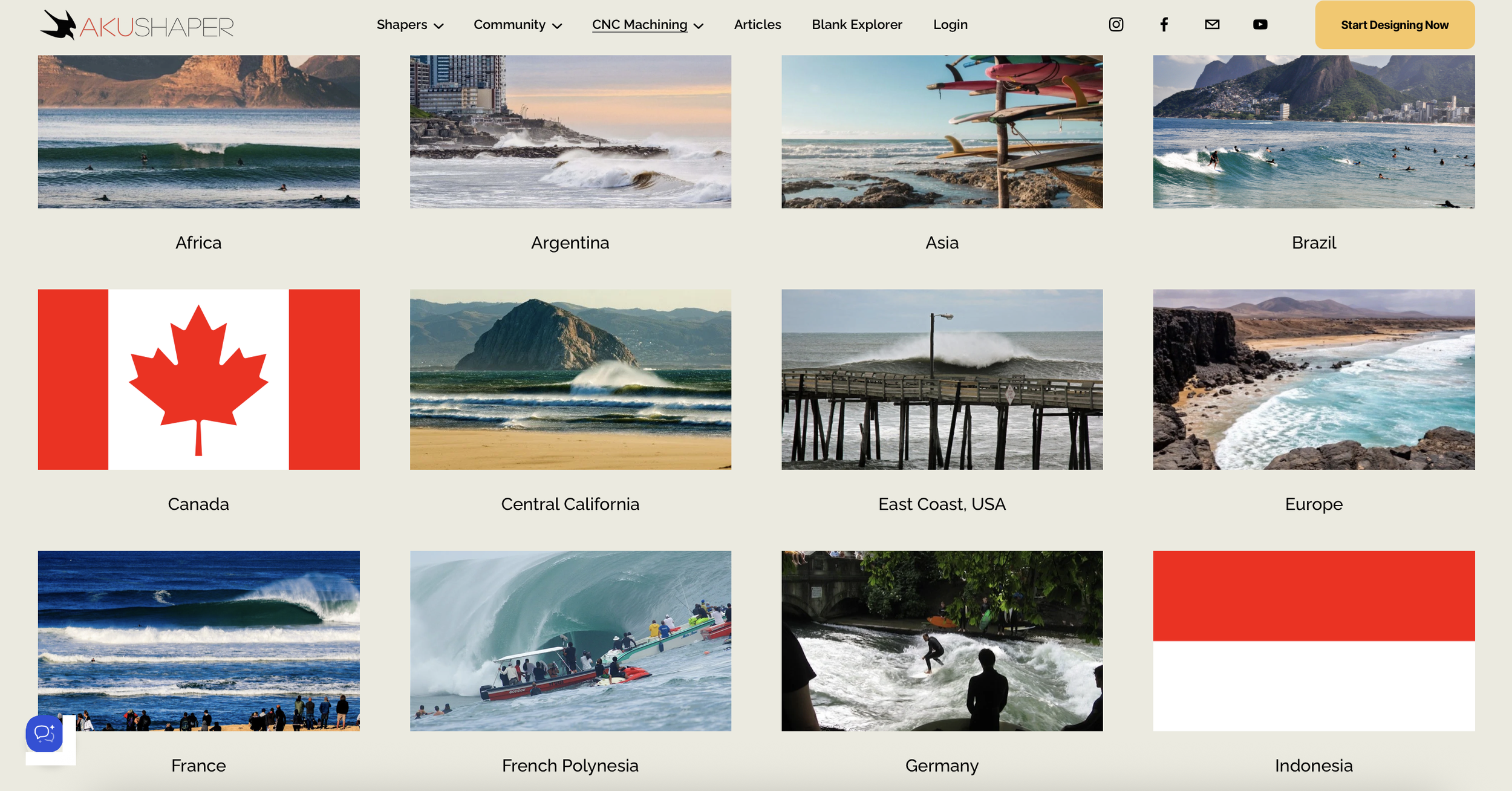
Find a CNC facility via the AkuShaper Industry Directory [Link Above]
Step 4: Contact the Factory
Before placing your order, contact the factory and ask about their process.
It's worth confirming:
CNC cutting price
Current turnaround time
Whether they can supply the blank
How finished you want the CNC cut
Any minimum nose or tail thickness they require for their machine
Pickup or shipping options
Every factory operates a little differently, so don't worry if you're not sure what information they need. They'll tell you.
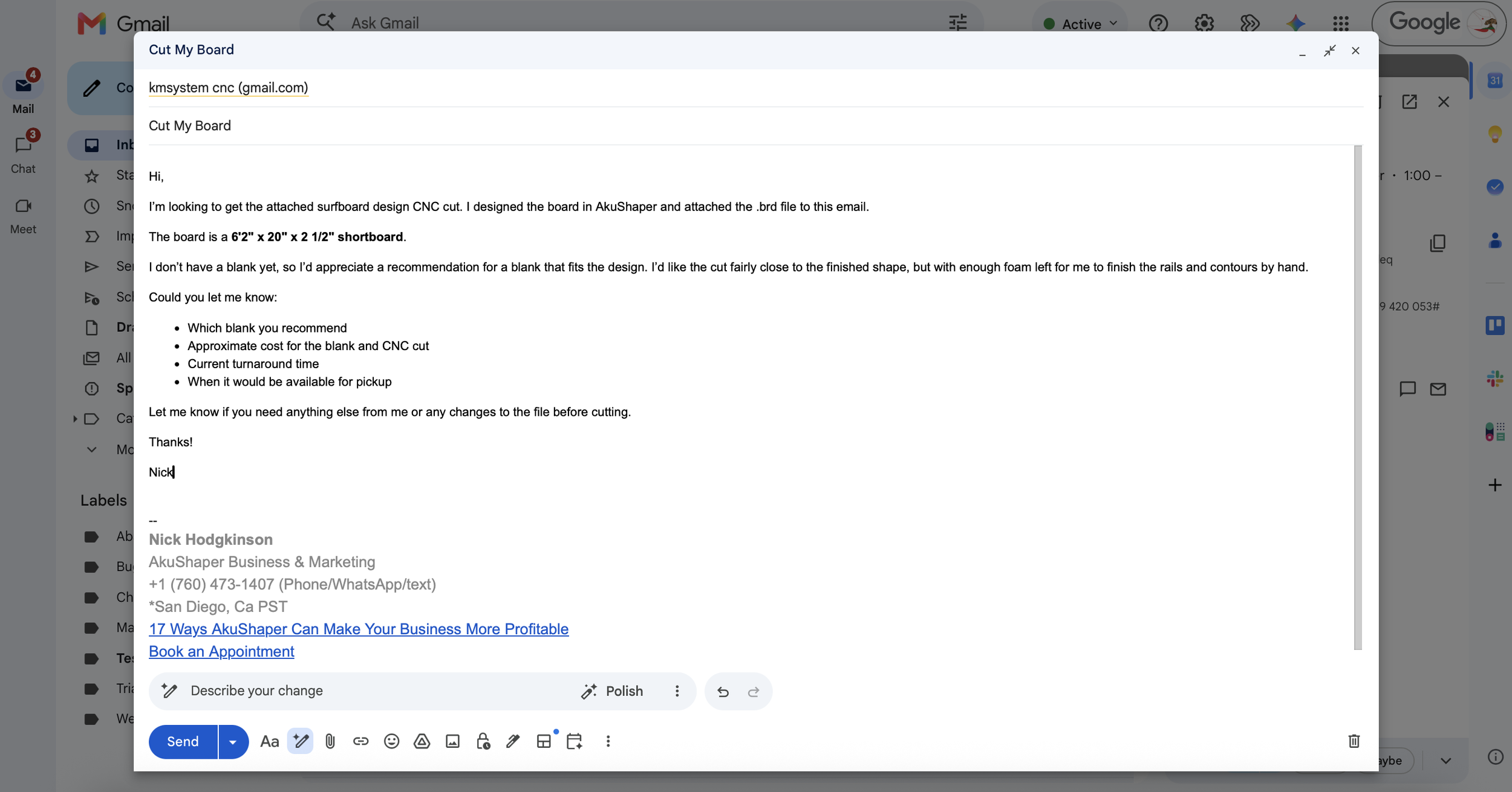
Step 5: Email Your Board File and Cutting Instructions
When you're ready, email the factory your .brd file as an attachment.
Include some basic information with the order, such as:
Board: 6'0" Shortboard
File: Smith_60_ModelA.brd
Blank: Factory recommendation / specific blank requested
Cut: Close-tolerance / leave additional foam for hand finishing
Stringer: Your preference, if applicable
Needed by: Requested pickup date
Pickup/Shipping: Your preference
If there's anything unusual about the design or the way you want it cut, mention that too.
The factory can review the file, confirm the blank and cutting instructions, and let you know the price and expected completion date.
Step 6: Pick Up Your CNC-Cut Blank
Once the board has been cut, you can pick it up from the factory or arrange to have it shipped if the cutting center offers that service.
The result is a machined version of your AkuShaper design, ready for whatever level of hand finishing you requested.
From there, you can finish the rails and contours, sand the shape, add your final touches, and move on to glassing.
How Finished Should You Have the Board Cut?
This is worth discussing with your CNC operator.
Some shapers want the machine to get the board extremely close to the finished shape. Others intentionally leave more foam so they can finish the rails, nose, tail, and contours by hand.
If you're new to CNC cutting, ask the factory what they recommend.
There's no single correct answer—the goal is to find a balance between CNC accuracy and the amount of hand shaping you want to do yourself.
Don't Be Afraid to Ask Questions
If this is your first CNC cut, you don't need to know everything about CNC machines or manufacturing.
That's what the cutting center is there for.
Send them your design, explain what you're trying to build, and ask questions. Most surfboard CNC factories work with everyone from first-time backyard shapers to professional board manufacturers.
And if you have questions about your AkuShaper design before you send it to the factory, contact us.
Our team of experienced shapers can help review your design, blank fit, or file and make sure you're headed in the right direction.
Design → Save → Choose a Blank → Find a Factory → Send Your File → Get Your Cut